Rooms & tiles
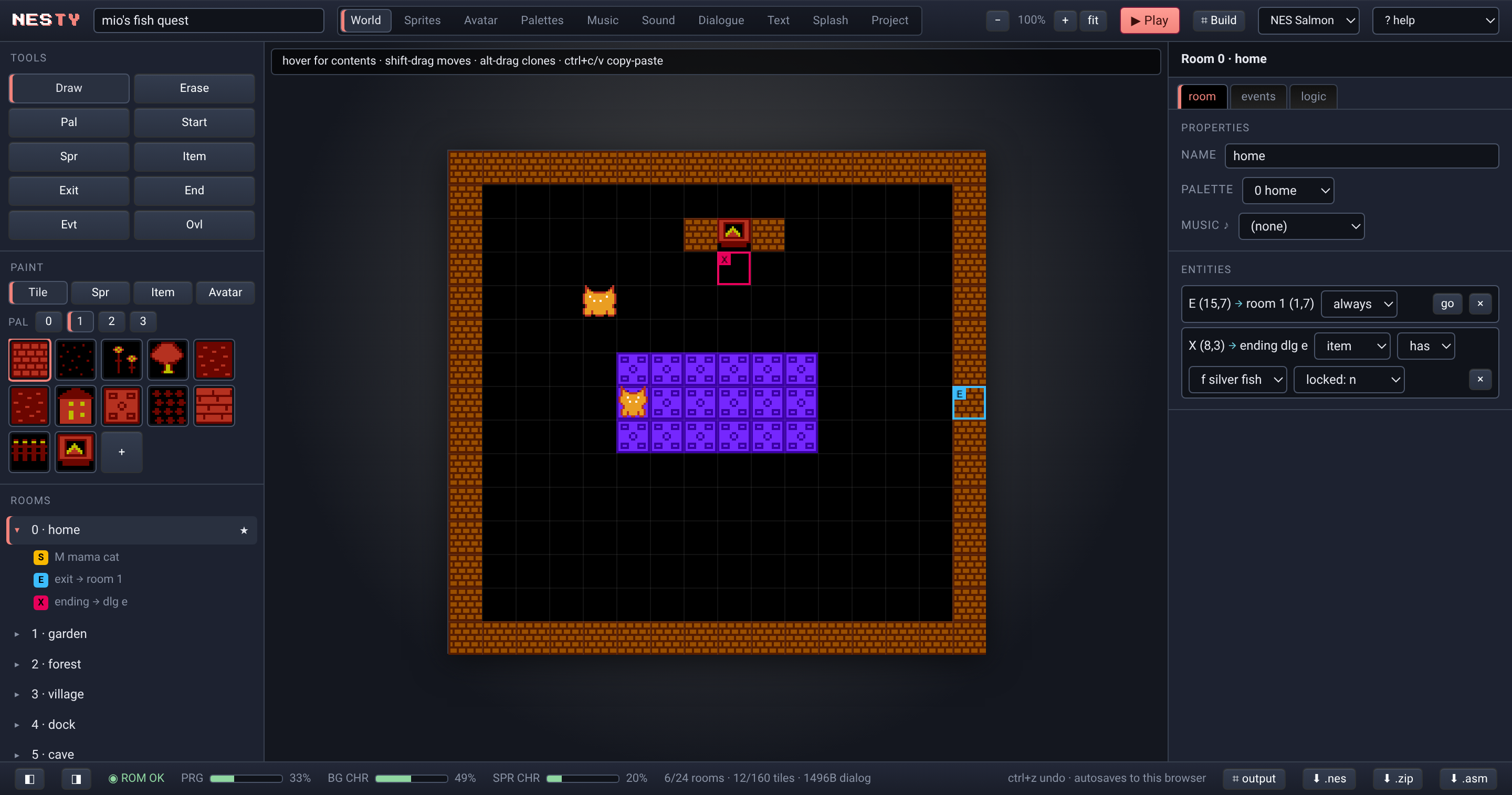
Paint a 16×15 grid of 16×16 tiles — exactly one NES screen. Wall flags for collision, 2-frame tile animation, exits that teleport between rooms.
Browser game maker · real NES output
Draw a cave. Talk to a cat. Flash it to a cartridge. NESty compiles your
game straight to 6502 and hands you a .nes that boots on real
hardware — no assembly required, none of it faked in an emulator wrapper.
Runs in the browser. Free. Draw → 6502 → assemble → .nes.
Same spirit as Bitsy: walk around, talk to people, pick up things, be
somewhere. No physics, no timers to fight — instant grid movement, one
screen per room. The difference is what comes out the other end. NESty
writes a hand-tuned 6502 engine, appends your game as data tables, and
assembles the whole thing into an authentic NROM ROM. Play it in the
built-in emulator, download the .nes, or burn it to an
EverDrive and boot it on a front-loader from 1985.
Paint a 16×15 grid of 16×16 tiles — exactly one NES screen. Wall flags for collision, 2-frame tile animation, exits that teleport between rooms.
16×16 metasprites built from four hardware sprites. Directional avatar art, a walk-cycle flip, NPCs and pickups you place per room.
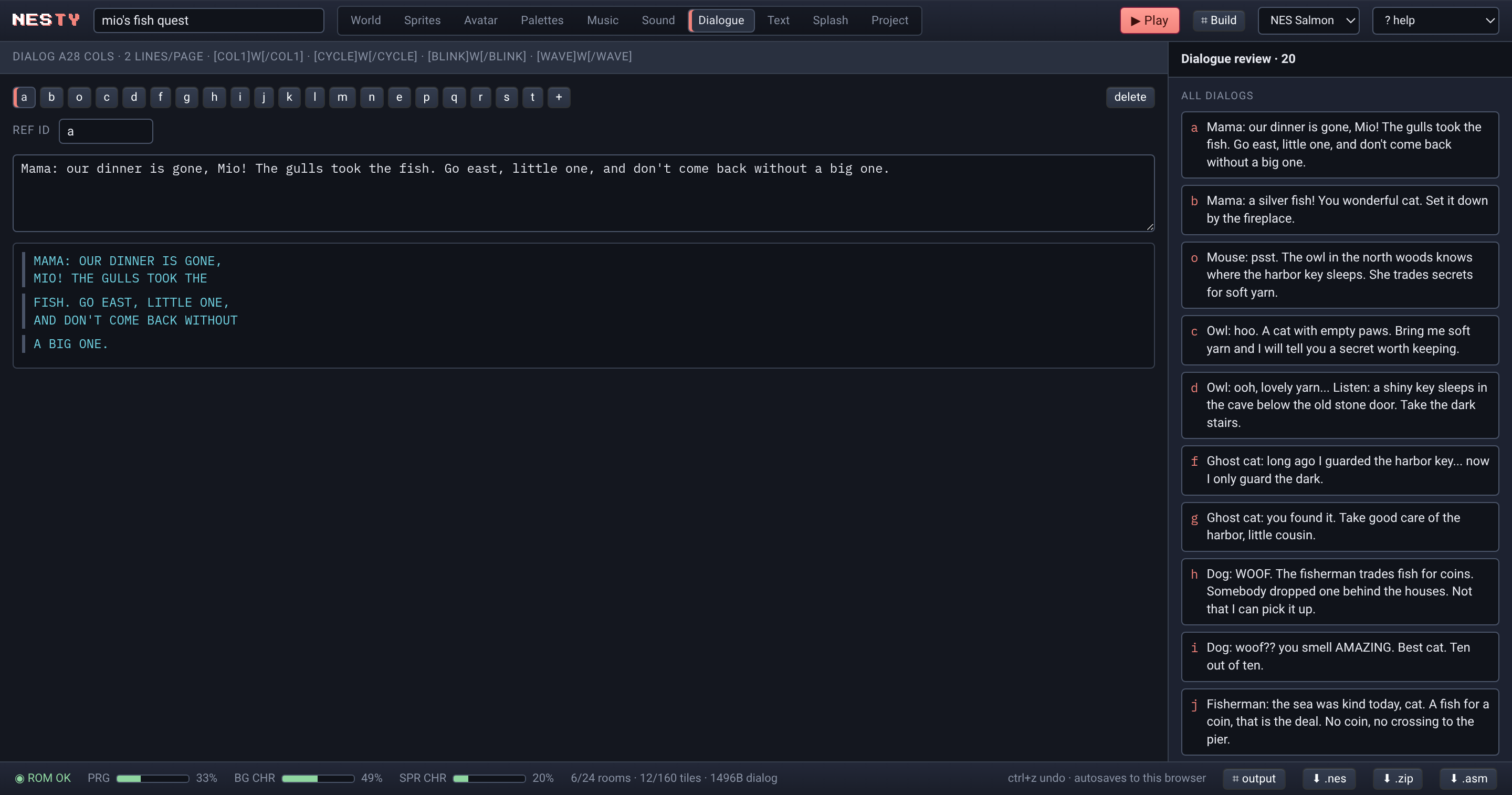
A paged text box, 28 columns by two lines, with a typewriter crawl you can set from instant to turbo — and a per-character blip if you want one.
Flags and variables, conditions, room events that fire when you step on a cell, tile overlays that swap art when a door opens. No scripting language to learn — you wire it in the editor.
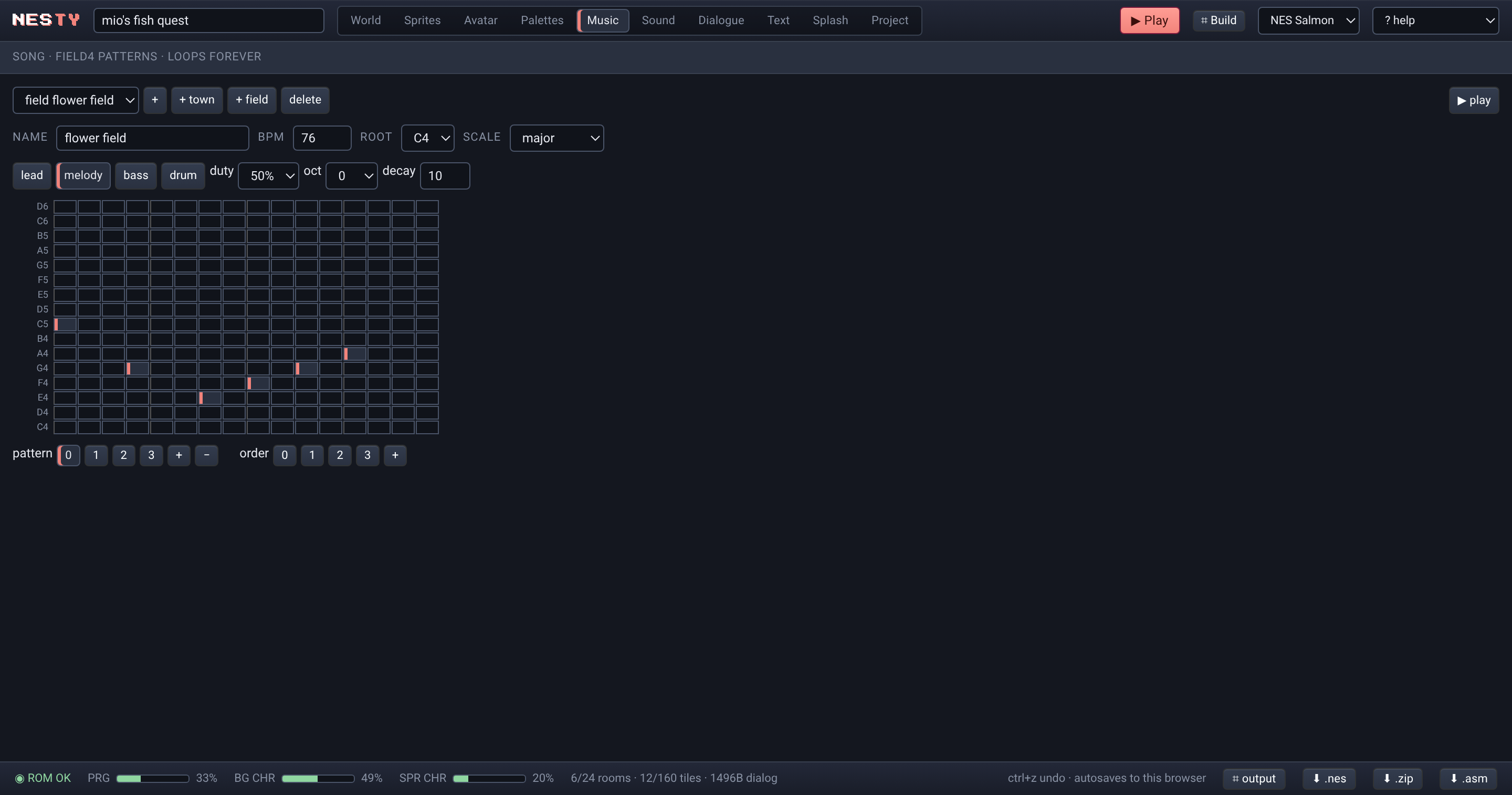
A Nanoloop-style tracker: 16-step patterns across four channels — pulse 1, pulse 2, triangle, noise. Plus up to 32 custom sound effects you trigger from events. It plays through the chip, not a sample.
Screen wipes between rooms — scroll, diagonal, fade, curtain, blinds. Five fonts including katakana. Optional splash screen at boot.
One window, no panels to hunt for. Paint a room, wire the logic, punch in a song on the step grid, write the dialog — the ROM rebuilds as you go.
This is a real .nes ROM built with NESty, running on the jsnes
emulator in your browser — the same ROM you'd flash to a cartridge. Arrows
walk, Z talks, Enter starts.
No native toolchain, no download, no account. The whole compiler runs in the tab you already have open.
Rooms, tiles, sprites, dialog, palettes, songs — in the editor.
Your game becomes commented assembly against the NESty engine.
A two-pass 6502 assembler builds an iNES ROM, right in the browser.
Boots on the embedded emulator. Download the .nes. Flash it.
The .asm you download is the complete engine plus your game as
readable data tables. Assemble it again with the bundled assembler or with
ca65 — it's yours to study and hack.
NESty models the real machine, not a loose approximation. When something won't fit on hardware, the editor tells you before you flash it.
| Mapper | 0 — NROM, horizontal mirroring |
|---|---|
| PRG ROM | 32 KB |
| CHR ROM | 8 KB — 256 BG + 256 sprite tiles |
| Output | iNES .nes + .asm + .chr |
| Runs on | Mesen · FCEUX · EverDrive · jsnes |
| Resolution | 256 × 240, one screen per room |
|---|---|
| Room grid | 16 × 15 cells of 16 × 16 px |
| Palette | Full 64-color 2C02 master ($0D blocked) |
| Sub-palettes | 4 BG + 4 sprite, one BG palette per cell |
| CHR | Automatic 8×8 tile dedup |
| Rooms | ≤ 24 |
|---|---|
| Tiles | ≤ 160 |
| Sprites + items / room | ≤ 15 |
| Flags · Vars | ≤ 16 · ≤ 8 |
| Events · Custom SFX | ≤ 128 · ≤ 32 |
Line up four sprites on one row and the editor warns you — that's the NES eight-per-scanline limit talking, and it'll flicker on real silicon. Overrun 32 KB and the build stops. The constraints are the craft.
Everything you draw round-trips to a line-oriented format on the data tab. Readable, diffable, paste-able. Here's the top of a small one:
GAME my cave adventure
VER 1
START 0 7,7

PAL 0
BKG 0F
BG0 21,11,30
SP0 30,27,16

TIL a
NAME rock
WALL true
<16 rows of 16 pixels, 0-3>

ROOM 0
PAL 0
<15 rows of 16 tile ids>
EXT 15,7 1 0,7      ; exit -> room 1
END e 8,3          ; ending dialog e
ITM k 3,9          ; item placement

DLG c
Meow. The cave is deeper than it looks.Open the editor and load the sample game — you'll have a ROM in a minute.
Open the Editor →